


 Copy Link
 Share
to X
Share
to X
 Share
to Facebook
Share
to Facebook
 Share
to LinkedIn
Share
to LinkedIn
 Share
on Email
Share
on Email
If you have a child between 4 and 7 who uses a tablet, phone, or any app with other people in it, internet safety is already relevant to your family. Not eventually. Now.
The good news: the fundamentals aren't complicated. A few clear, practiced rules go a long way, especially at this age when habits form easily and kids are genuinely open to learning.
These tips are designed for parents of children ages 4 to 7 — but if they make you reconsider your own habits, that's probably a feature, not a bug.
10 Internet Safety Tips for Kids Ages 4–7
1. Use a screen name, not your real name
Many games and apps ask children to create a username or profile. Help your child choose one that doesn't include their real name, age, or location. "Boing24" is fine. "Emma_Smith_Age6_Miami" is not.
This is one of those rules that's easy to set up correctly from the start and surprisingly easy to miss if no one points it out.
How to practice: Next time you set up an app together, make a game of choosing a creative username. Let your child pick something fun that doesn't give anything real away.
2. Private information stays private
Help your child understand what "private" means in a concrete way. Private information is anything that could help someone find them in real life: their full name, home address, school name, phone number, and photos of themselves.
The rule is simple: private information is only shared with people we know in real life, and never without asking a parent first.
How to practice: Make a short "private list" together. Write down (or draw) the things that count as private. Put it somewhere visible near their device.
3. Ask before downloading, signing up, or clicking
Apps, games, and websites regularly ask kids to create accounts, enter information, or click through to something new. Without a clear rule, kids follow whatever the screen suggests next.
The rule: always ask a parent before downloading anything new, creating an account, or clicking a link from someone you don't know.
How to practice: Role-play the scenario. "Let's say a pop-up says you've won a prize and asks for your name. What do you do?" Practice the pause-and-ask habit before it's needed.
4. Know your trusted adults before you go online
One of the most practical things a parent can do is make sure their child has a clear answer to the question: Who would you tell if something online scared you or made you feel weird?
A trusted adult is any grown-up your child genuinely feels safe coming to: a parent, grandparent, teacher, or other family member. Having two or three names ready, and having practiced what to say, means a child isn't figuring this out in the moment when they're already upset.
How to practice: Build a simple "family chat" list together. Name the people. Practice the phrase: "I need to show you something."
5. Be kind online, because there's a real person on the other side
At ages 4 to 7, kids are developing empathy in real time. The online world is an extension of that, not an exception to it.
Help your child understand that every username in a game represents a real person who has feelings. The same rules that apply on the playground apply on a screen: no name-calling, no being mean, no leaving someone out on purpose.
This is a core part of digital citizenship, and it starts well before kids are on social media.
How to practice: After co-playing a game, ask: "Was everyone being kind in that game? How did it feel when someone was mean or friendly?"
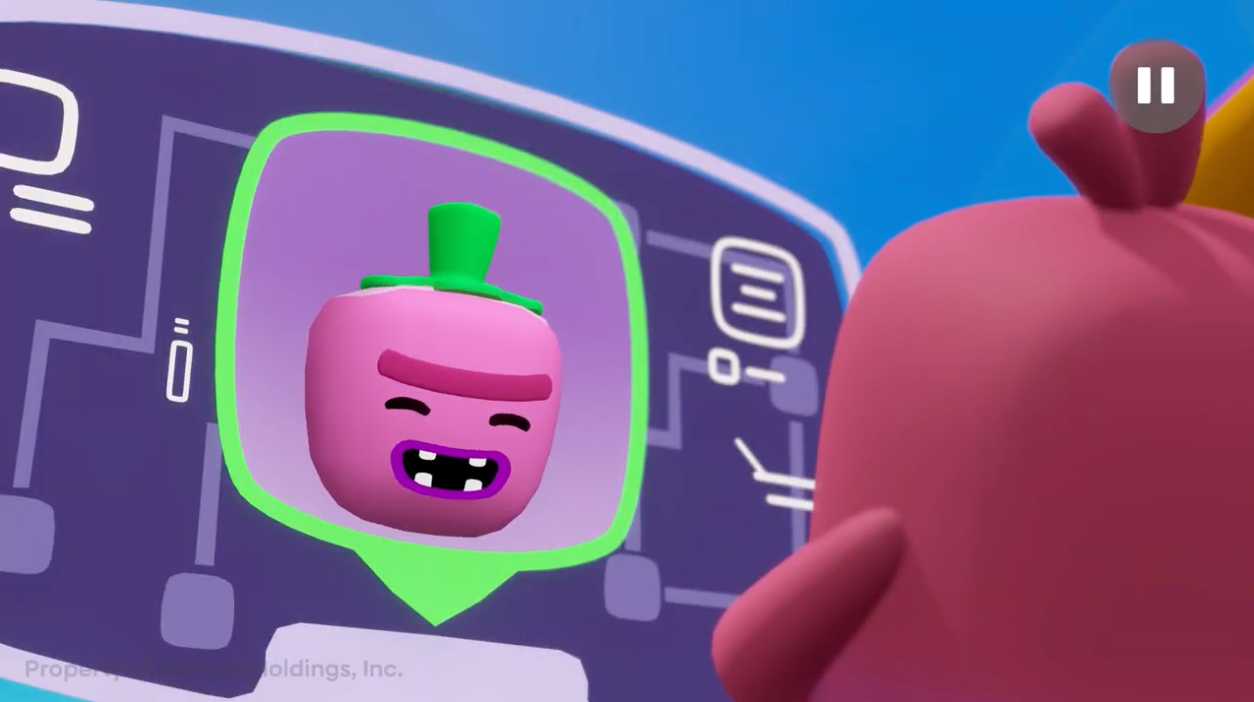
Knowing the rules is a start. Practicing them in a context that's genuinely engaging is what builds the habit. Tips 4, 6, and 7 in this article are core learning objectives in Nurture's Tomato Imposter adventure for ages 4–7.
6. Tell a trusted adult if something online makes you feel uncomfortable
Children often hesitate to report something that bothers them online because they're afraid of getting in trouble, losing screen time, or upsetting a parent. Make it explicit and unconditional: you will never be in trouble for telling me.
The behavior to reinforce: if something online — a message, a video, a request, anything — makes your child feel scared, confused, or uncomfortable, they come to you immediately. Not after they've tried to handle it. Right away.
How to practice: Check in regularly with low-stakes questions: "Did anything happen on your tablet today that felt weird?" Normalizing the conversation means they're far more likely to bring the important stuff.
7. Not everyone online is who they say they are
This is a harder concept for young children, but it's one of the most important. Online, someone can appear friendly, use familiar language, and seem completely safe — while actually being a stranger with bad intentions.
For kids ages 4 to 7, you don't need to go into detail. A simple frame works: "Sometimes people online pretend to be someone they're not, just like a costume. So we only answer questions and share information with people we know in real life."
For more on how to explain this in age-appropriate terms, see our guide to online stranger danger for kids.
How to practice: Use story and play. Nurture's DD403 adventure, Tomato Imposter, builds exactly this skill through an interactive story where kids practice recognizing and responding to an online stranger in a safe, fun context.
8. Keep passwords private, even from friends
This one becomes especially relevant as kids approach 6 and 7, when friendships and peer pressure start to influence behavior. The rule: passwords are private, just like private information. No exceptions, including friends.
Help your child understand that sharing a password, even with someone they trust, means that person can access their account, change things, or use it in ways that cause problems.
How to practice: Treat your family's passwords like a short list of shared secrets. Make it feel important without being scary.
9. Pause before you share
Once something is posted or sent online, it can be very difficult to take back. This concept is abstract for young children, but you can make it concrete with a simple habit: pause before sharing any photo, comment, or message.
Ask together: "Would you be happy if everyone could see this? Would your grandma be OK with it?" That one question is surprisingly effective at any age.
How to practice: Make this a co-viewing habit. When your child wants to share or post something, do it together for now, talking through the decision out loud.
10. Take screen breaks — your brain needs rest
Health, creativity, and good decision-making all take a hit when screens become the default filler for every gap in the day. Building in regular breaks isn't just good for physical health. It helps kids stay alert and emotionally regulated while they are online, which makes all of the other safety habits easier to maintain.
The research on screen time quality versus quantity consistently shows that how kids use screens matters more than how long. A rested, present child is a safer child online.
How to practice: Set a simple visual timer your child can see. When it goes off, a break happens — not a negotiation. Consistency matters more than the specific length.
How Nurture Builds These Skills Through Play
Knowing the rules is one thing. Practicing them in a context that's engaging and emotionally real is another.
Nurture's adventure series for kids ages 4 to 7 is built specifically to develop the digital wellbeing skills that underpin internet safety — including the trusted adult concept (tips 4 and 6), stranger awareness (tip 7), and healthy screen habits (tip 10). Kids practice these skills through interactive story adventures, making the learning stick in the way play always does, without feeling like learning at all.
Tip 4, 6, and 7 in particular are core learning objectives in the adventure, Tomato Imposter: Pausing Screen Time, where the main character Boing models exactly the behaviors we want children to internalize.
For a deeper look at the research behind building digital literacy in early childhood, our full guide walks through what the skills are, why this age window matters, and how to support them at home.
FAQ
What are the basic online safety rules for kids?
The core rules for young children are: use a screen name (not your real name), never share private information (name, address, school, phone, photos) without a parent, always ask before downloading or signing up for anything, know who your trusted adults are before going online, and tell a parent immediately if anything online makes you feel scared or uncomfortable.
What is the 3-6-9-12 rule for kids?
The 3-6-9-12 rule is a general guideline suggesting: no screens before age 3, no personal gaming devices before age 6, no internet without supervision before age 9, and no social media before age 12. It's a useful framework, though most experts note that the quality and context of screen time matters as much as these age thresholds.
What are the 5 online safety rules?
A simple set of five rules for young children: (1) never share private information online, (2) always ask a parent before downloading or clicking unfamiliar links, (3) tell a trusted adult if something online makes you uncomfortable, (4) be kind — there are real people behind every username, and (5) remember that not everyone online is who they say they are.
What are 10 ways to stay safe online?
For kids ages 4 to 7: use a screen name instead of your real name, keep private information private, ask before downloading or signing up, know your trusted adults, be kind online, report anything uncomfortable immediately, remember online people can be in disguise, keep passwords private, pause before sharing anything, and take regular screen breaks.
How do I teach internet safety to a 4 or 5 year old?
Keep it concrete, not abstract. Use simple rules your child can repeat back to you. Role-play the scenarios: "What do you do if someone in a game asks where you live?" Use stories and play-based media that build the skills in an engaging context. Check in regularly and make it a normal conversation, not a one-time talk.


